Free Chrome Extension
Know what a role pays
before you apply.
Pay Lens adds salary ranges and market context to listings as you browse, so you can tell a fair offer from a lowball one at a glance.
Add to Chrome, it's freeNo account. No sign-up. Works instantly.
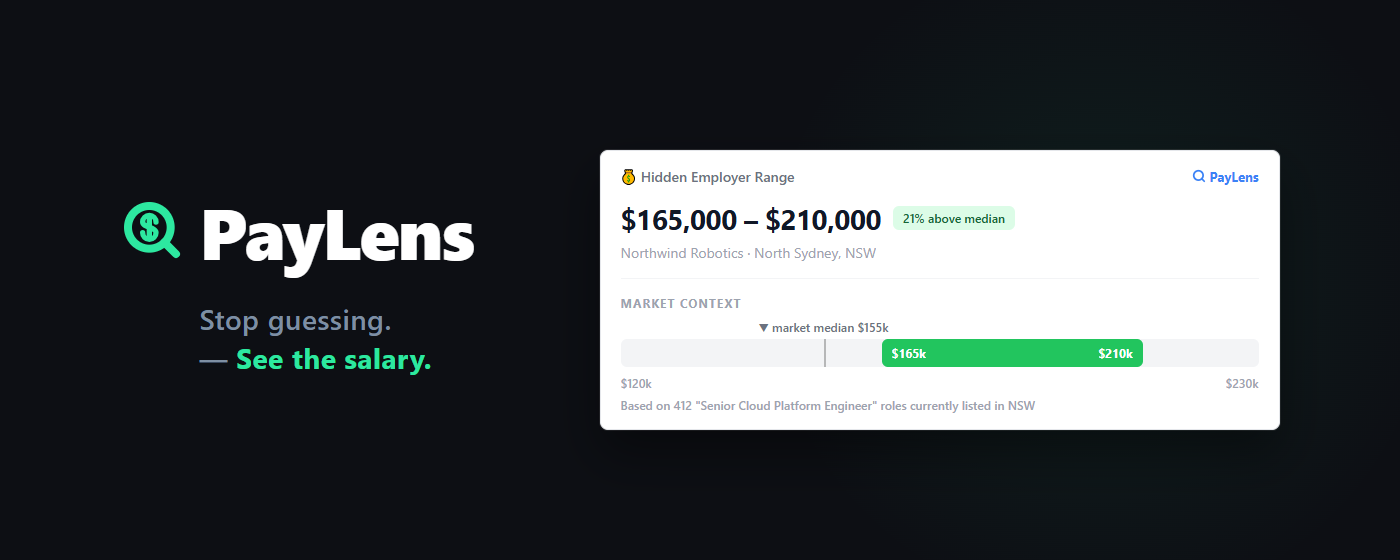
Hidden salary revealed
Salary data, even when pay isn't listed.
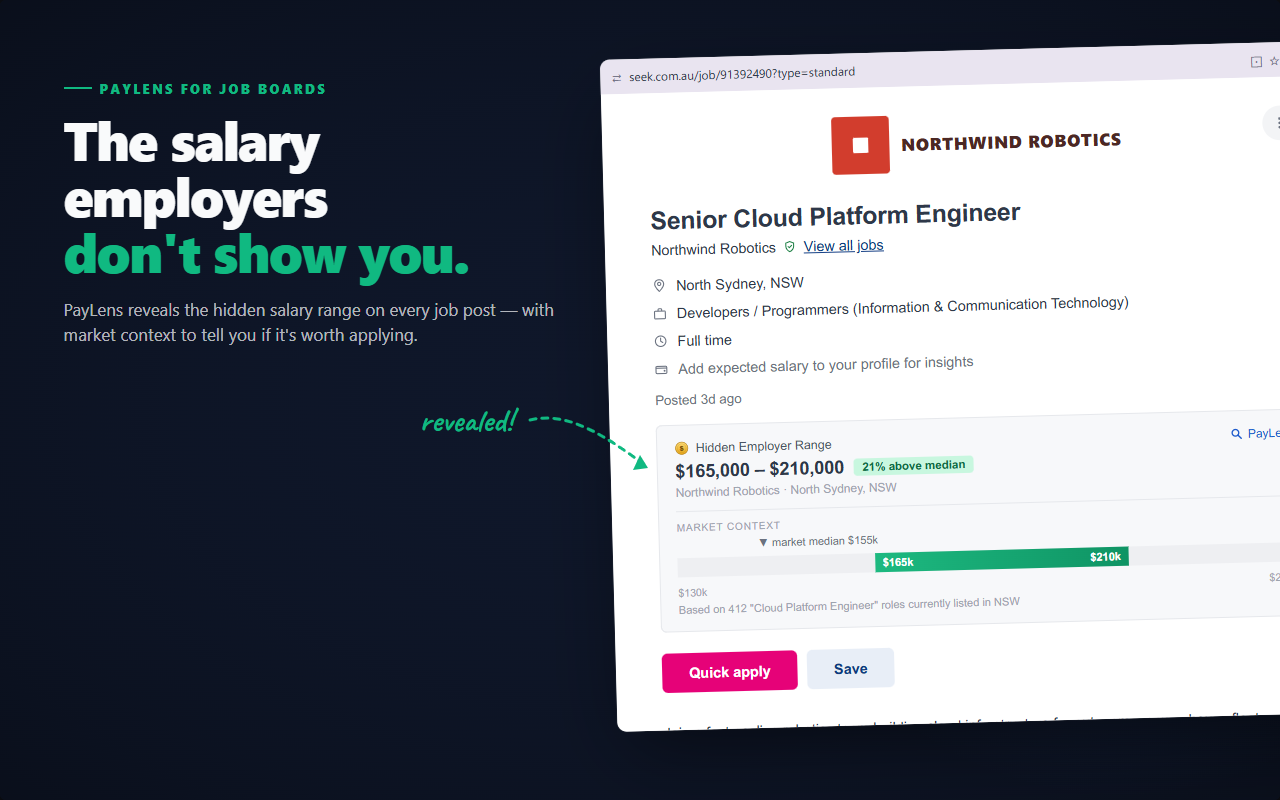
Plenty of listings don't show a salary. Pay Lens checks our archive of publicly posted listing data and surfaces the salary range even when it's no longer visible on the page.
Market context
Know if it's worth applying.
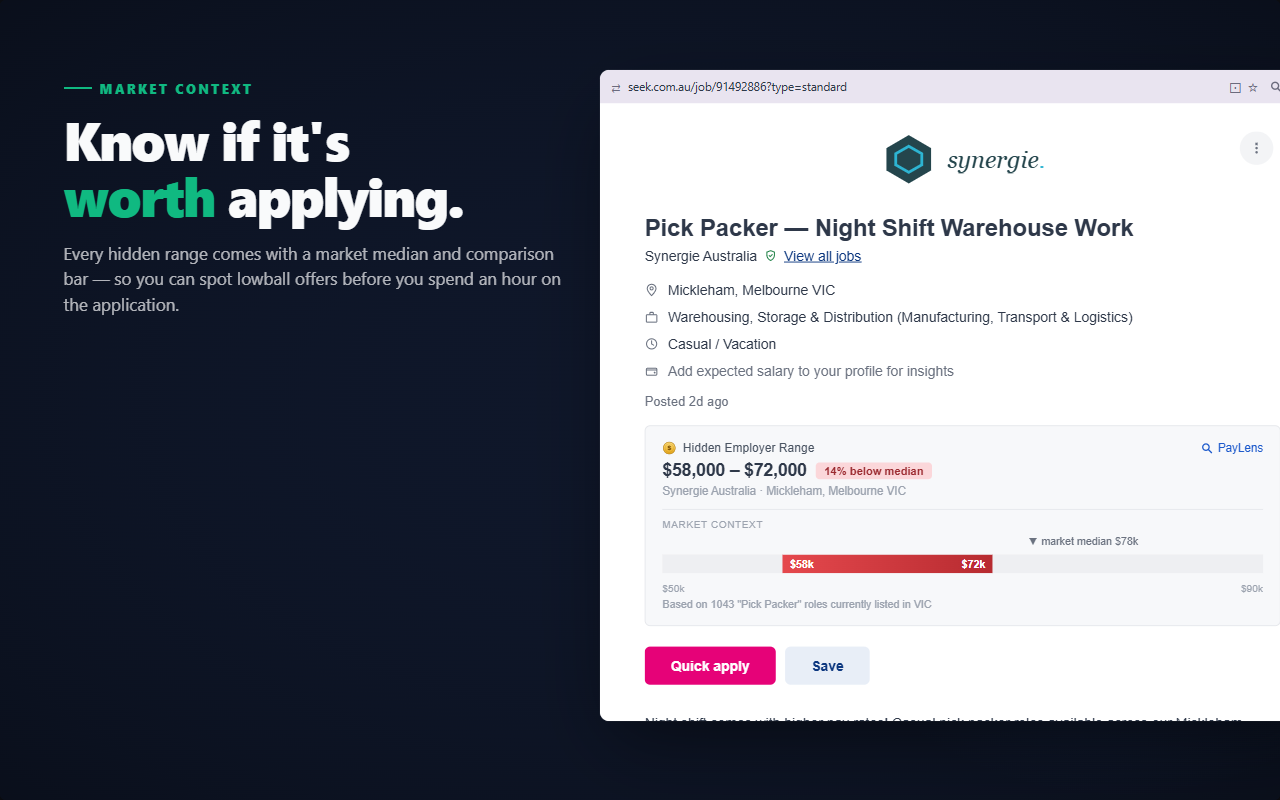
Every hidden range comes with a market median and comparison bar, so you can spot lowball offers before you spend an hour on the application.
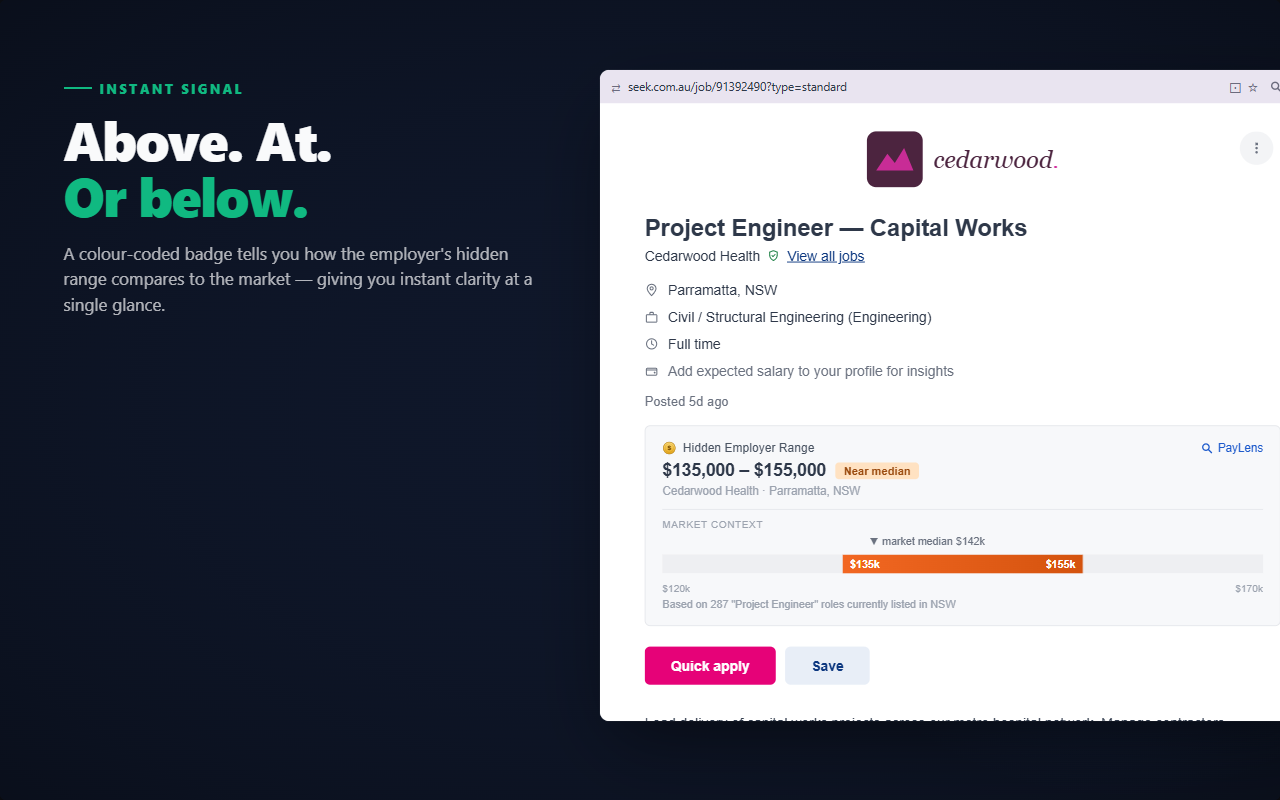
- Green: more than 8% above the market median
- Orange: within 8% of the median. Fair market rate.
- Red: more than 8% below the median. Worth knowing early.
Instant signal
Above. At. Or below.
A colour-coded badge tells you exactly how the salary compares to the market, giving you instant clarity at a single glance. No mental maths required.
Your salary history
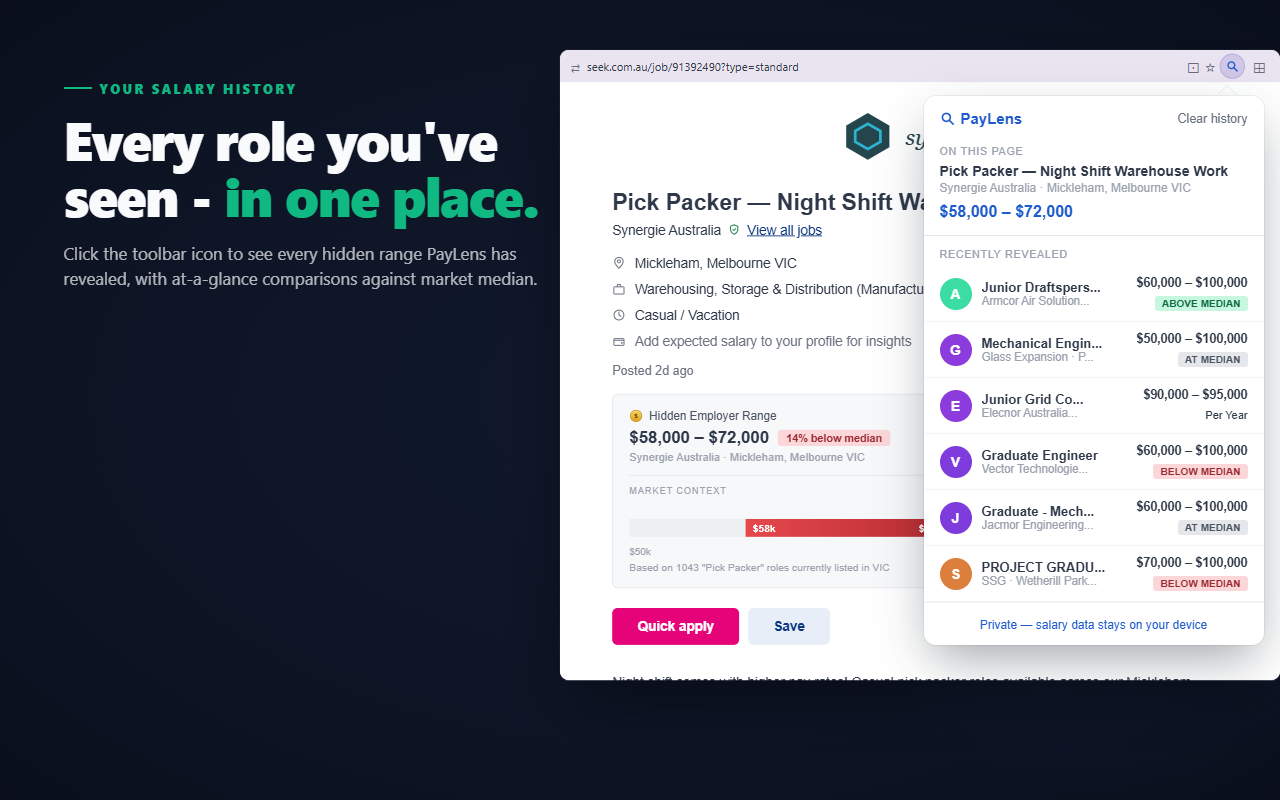
Every role you've seen, in one place.
Click the toolbar icon to see every hidden range Pay Lens has revealed, with at-a-glance comparisons against market median. The last 50 roles you've browsed, including title, salary, location, and above/below signal, all stored locally in your browser. Your data never leaves your device.
Before & after
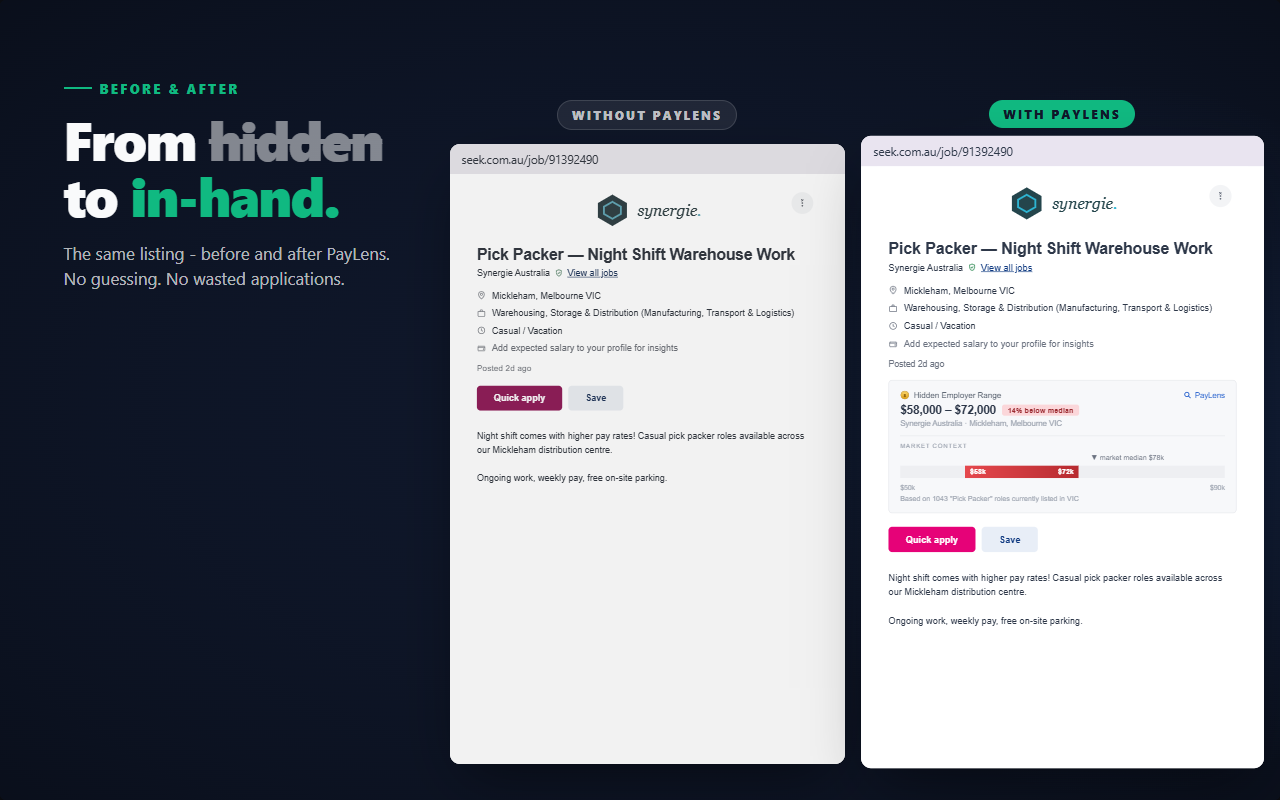
From hidden to in-hand.
The same listing, before and after Pay Lens. No guessing. No wasted applications.
Works automatically as you browse
Install in 10 seconds
Add Pay Lens from the Chrome Web Store. No account, no email, no sign-up.
Browse SEEK normally
Open any job listing on seek.com.au. Pay Lens runs silently in the background.
See the real numbers
A salary card appears above the Apply button within a second or two, every time.
Frequently asked questions
Does Pay Lens work on every SEEK listing?
It runs on every listing and will always show something: either salary data, a market comparison, or a "no data yet" indicator. Coverage improves as our dataset grows.
Does it work with hourly rates?
Yes. Pay Lens detects hourly rates and converts them to an annual equivalent (based on a standard 38-hour week) so all comparisons stay consistent.
Is my browsing data sent anywhere?
No. Your job history is stored locally in Chrome's storage and never sent to any server. The only outbound requests are to fetch salary data for the job you're currently viewing.
Does this work on Indeed, LinkedIn, or other job boards?
Not yet. Pay Lens currently supports SEEK only. Support for other platforms is on the roadmap.
How is the market data collected?
Pay Lens is built on an indexed dataset of publicly available Australian job listings. Salary ranges are sourced directly from listing data, not estimated or modelled.
The extension shows you one job. Alerts will show you all of them.
The overlay works where you browse. Job alerts covering major Australian boards and employer feeds, with real pay attached, are launching soon — join the waitlist and get the next Pay Report for your role free.
About Pay Lens
You've done it a hundred times. You open a SEEK listing that looks perfect: the role, the company, the location. Then you scroll down to find nothing. “Competitive salary.” “Remuneration commensurate with experience.” Or worse, a range so wide it's useless.
Pay Lens fixes that. Every time you open a job on SEEK, it adds a small card just above the Apply button. Depending on the listing, that card shows the employer's salary range pulled from our database of live and historical listings, a colour-coded market median comparison, and a plain-English label like “14% above median” or “8% below median”.
When a listing doesn't show a salary, Pay Lens checks our archive of publicly posted listing data and surfaces the salary range from when it was first listed, even if it's no longer visible on the page.
Pay Lens is built on an indexed dataset of publicly available Australian job listings, the same dataset that powers paylenshq.com.